Re-keying the same caption
The attorney, bar number, parties, and case number get typed by hand onto CM-110, then MC-025, then POS-010. The same block, every form, every filing.
California Judicial Council Form Automation
Pull your case data once. CourtDocs auto-fills the Judicial Council form, validates it against the current template, and exports a filing-ready PDF. No retyping the caption block.
Your data stays in California, encrypted in transit and at rest. Every form validated against the current Judicial Council revision.
Built for California civil litigators and the paralegals who run their day.
The status quo
CourtDocs pulls the caption from data you already have and fills every Judicial Council form at once. Here's what it replaces.
The attorney, bar number, parties, and case number get typed by hand onto CM-110, then MC-025, then POS-010. The same block, every form, every filing.
File an outdated revision or miss a required field and the clerk rejects it. You often find out days later, with a deadline closing in.
The official PDFs don't pull from your case data, don't carry the caption across forms, and don't flag what's still missing before you file.
Hours retyping by hand
Filled in minutes
Caption fields rekeyed per filing
0
Wrong-revision rejections
Caught before export
See it fill
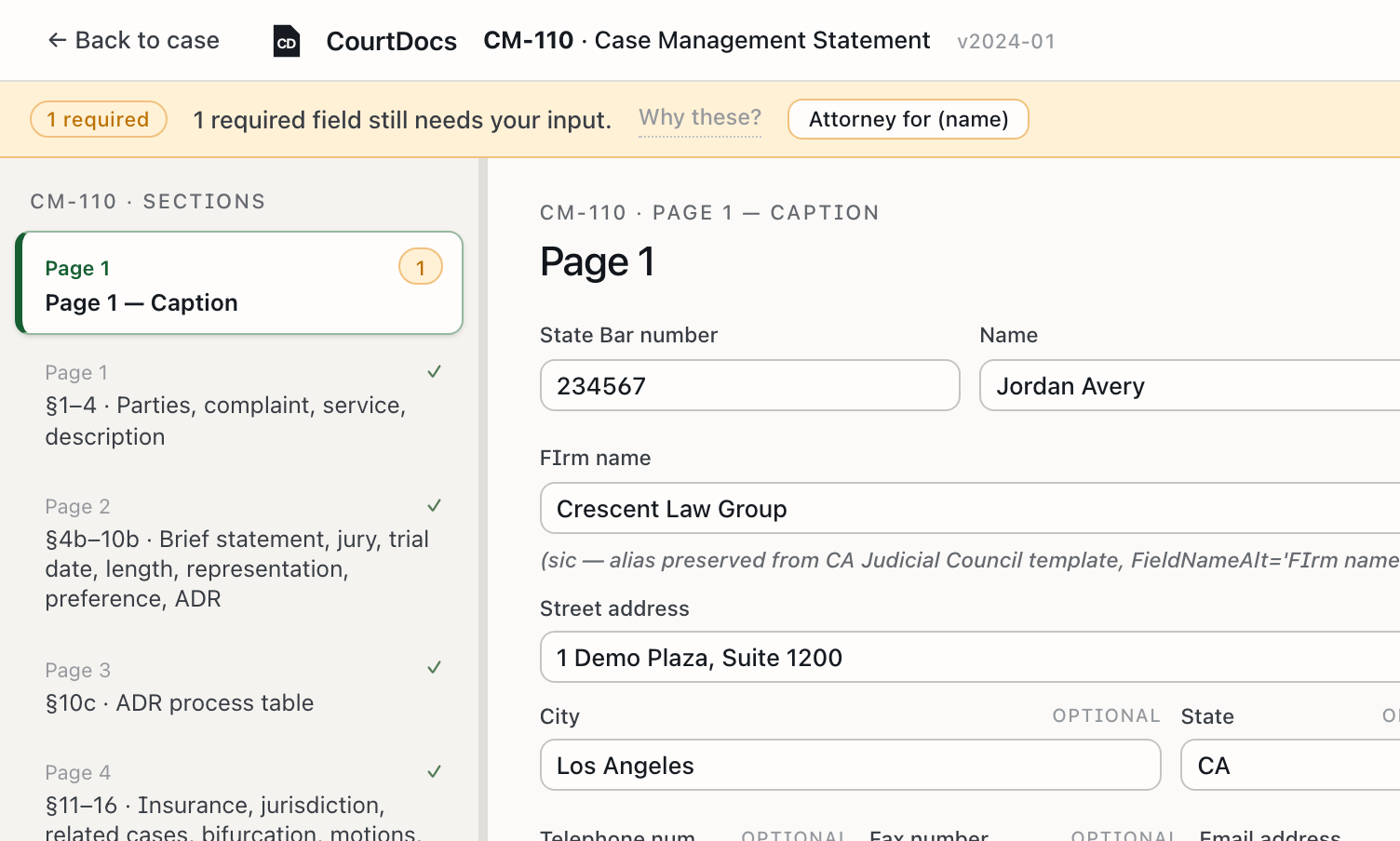
Enter the matter once and the caption, parties, and case number flow into the form. Gaps are flagged in amber so nothing slips through.
Product walk-through coming soon
A 15-second screen-record of the auto-fill in action.
How it works
Client, parties, case number, your firm's caption block. Enter it a single time, or import it from a matter you've already opened.
Each Judicial Council field is pre-populated from your case data. Anything we can't source is flagged for your review.
Check the filled form against the current template, approve it, and export a flattened, filing-ready PDF for One Legal or your e-filing path.
You stay in control
CourtDocs removes the retyping. It never removes your judgment. You review and approve every form against the official template before it leaves your hands.
Switching from
From the free courts.ca.gov PDFs
They're free and official, but every field is manual. You retype the caption on each form, track revisions yourself, and nothing tells you a required field is missing. CourtDocs starts from those same official templates and fills them from your case data.
From a desktop forms tool
Desktop software keeps templates current, but it lives on one machine, costs a per-seat license, and still doesn't pull from the case data already in your practice. CourtDocs runs in the browser and fills from data you already have, then validates on export.
Pricing
FAQ
We start with the high-frequency California civil forms — CM-110 (Case Management Statement), MC-025 (Attachment), POS-010 (Proof of Service) — and grow from there based on what early firms file most. Tell us which forms you need when you sign up.
CourtDocs fills the official Judicial Council templates and exports a flattened, filing-ready PDF — the same form you'd file today, with the fields completed. You review and approve every form before it leaves your hands.
Every form is validated against the current Judicial Council revision. When the Council updates a form, we update the template, so you don't accidentally file an outdated version and get bounced at intake.
In California, encrypted in transit and at rest. Nothing leaves the state, and nothing is sold or shared.
We onboard California firms in small batches so each one gets proper support. Join the list and we'll email you the moment your spot opens, typically within a few weeks of signing up.
No credit card to join the list. Pricing is being finalized with our first firms — a straightforward subscription with no per-form fees. Early-access firms get the launch rate.
Early access · California firms
We onboard California firms in small cohorts so we can support each one properly. Drop your email and we'll reach out the moment your spot opens.